---
title: Website widget
description: Show your website's status, uptime and security in a corner of any website, from plain HTML and PHP to WordPress and Next.js, with one line of code. Free on every plan.
---

# Website widget

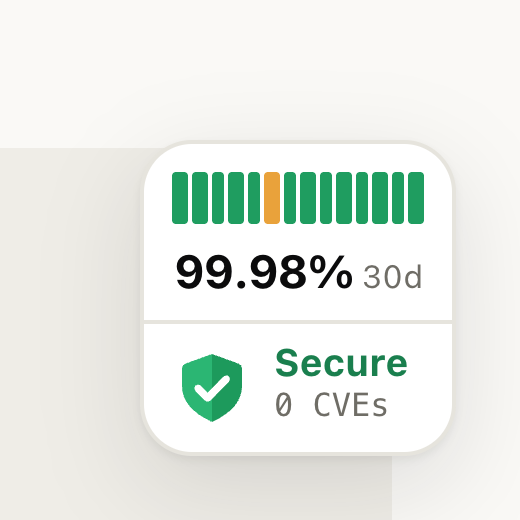
The widget puts a small square card, about 80 pixels wide, in a corner of your own website: a bar for each of the last 14 days, the uptime over the last 30, and, if you turn it on, that UpHeron knows of no vulnerabilities in the site. A click opens your status page. On phones it shrinks to a round button; a tap shows the details and a button to the status page.

It is free on every plan. You need an UpHeron account (Free is enough), because the widget shows one of your [status pages](/docs/status-pages): every monitor gets its own, and any published page without a password works.

<div class="docs-gallery">
<figure class="wide"><img src="/images/docs/widget-shield-wide.png" width="760" height="430" alt="A website with the widget in its bottom-right corner: a small square card with a bar for each of the last 14 days, 99.98% uptime over 30 days, and a green shield with Secure, 0 CVEs."><figcaption>On a wide window: a square card in a corner of your website. A click opens your status page.</figcaption></figure>
<figure><img src="/images/docs/widget-shield-phone-panel.png" width="270" height="300" alt="On a phone, the panel a tap opens: UpHeron monitoring, example.com, All systems operational, 30 daily bars, 99.98% uptime over 30 days, Secure with 0 CVEs and no known vulnerabilities, and a button that opens the status page."><figcaption>On a phone, a tap opens the details and a button to the status page</figcaption></figure>
<figure><img src="/images/docs/widget-shield-card-light.png" width="130" height="130" loading="lazy" alt="The card close up on a light website: daily bars, 99.98% 30d, and Secure, 0 CVEs."><figcaption>The card, light</figcaption></figure>
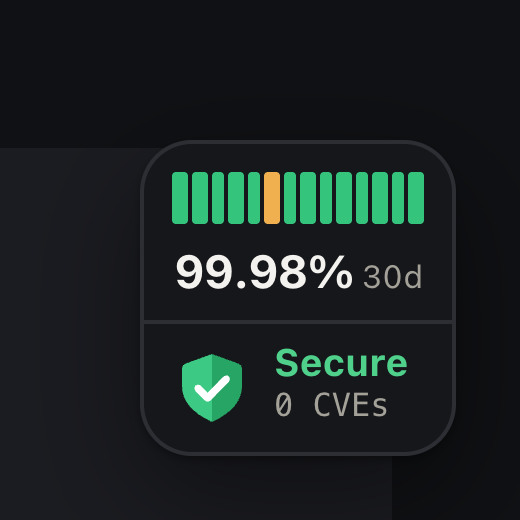
<figure><img src="/images/docs/widget-shield-card-dark.png" width="130" height="130" loading="lazy" alt="The same card on a dark website, in dark colors."><figcaption>Dark, or the visitor's own setting</figcaption></figure>
<figure><img src="/images/docs/widget-shield-phone-button.png?v=2" width="130" height="130" loading="lazy" alt="On a phone, before a tap: a round button with a green shield and a status dot in the bottom-right corner."><figcaption>On a phone: a round button</figcaption></figure>
<figure><img src="/images/docs/widget-heron-card-light.png?v=2" width="130" height="130" loading="lazy" alt="The card with UpHeron's heron and a small green shield instead of the shield alone."><figcaption>With <code>icon=heron</code>: UpHeron's heron with a shield</figcaption></figure>
<figure><img src="/images/docs/widget-heron-card-dark.png?v=2" width="130" height="130" loading="lazy" alt="The heron card on a dark website."><figcaption>The heron, dark</figcaption></figure>
<figure><img src="/images/docs/widget-heron-phone-button.png?v=2" width="130" height="130" loading="lazy" alt="On a phone: the round button with the heron and its shield."><figcaption>The heron on a phone</figcaption></figure>
</div>

## Add it

1. In the dashboard, open **Status pages** and choose **Badges and widget** in the page's menu. A monitor's own page is named after the monitor.
2. Under **Website widget**, choose the corner and the other options. The previews show it on a wide window and on a phone.
3. Copy the line and add it to every page of your website, just before `</body>`:

```html
<script src="https://upheron.com/widget.js?page=acme-status-3k7q2" async></script>
```

`acme-status-3k7q2` is your page's address: the part of its link after `/status/`.

### Where the line goes

| Website | Where |
| --- | --- |
| HTML | Before `</body>` of each page, or of the template they share |
| PHP | The footer every page includes, such as `footer.php`, before `</body>` |
| WordPress | Your theme's `footer.php`, before `<?php wp_footer(); ?>`, or a plugin that adds code to every page's footer |
| Next.js | The root layout, with `next/script` (below) |
| React, Vue, Svelte and other single-page apps | `index.html`, before `</body>`. It stays while the app changes pages |
| Shopify | `theme.liquid`, before `</body>` |
| Webflow, Squarespace, Wix | Their custom code setting for the end of every page's body |
| Google Tag Manager | A Custom HTML tag that fires on all pages |

In Next.js, add it to `app/layout.tsx` (or `pages/_app.tsx`):

```tsx
import Script from "next/script";

export default function RootLayout({ children }: { children: React.ReactNode }) {
  return <html lang="en">
    <body>
      {children}
      <Script src="https://upheron.com/widget.js?page=acme-status-3k7q2" strategy="lazyOnload" />
    </body>
  </html>;
}
```

## Options

Options go in the script's address after `page`, each after a `&`. Build yours here, or see them all:

<!-- embed:widget-options -->

```html
<script src="https://upheron.com/widget.js?page=acme-status-3k7q2&position=bottom-left&y=90&hide-below=480" async></script>
```

| Option | Default | What it does |
| --- | --- | --- |
| `page` | Required | Your status page's address |
| `position` | `bottom-right` | The corner: `bottom-right`, `bottom-left`, `top-right` or `top-left` |
| `x` | `20` | Pixels from the left or right edge of the window |
| `y` | `20` | Pixels from the top or bottom edge |
| `compact-below` | `640` | In windows narrower than this many pixels, a round button that opens on a tap instead of the card. `0` always shows the card |
| `hide-below` | `0` | In windows narrower than this, no widget at all, so it never covers your content on small screens. `0` shows it on every screen |
| `theme` | `auto` | `light`, `dark`, or `auto` to follow the visitor's setting |
| `icon` | `shield` | The security badge: `shield`, or `heron` for UpHeron's heron with a shield. Pages that hide UpHeron's branding always get the shield |

<!-- /embed -->

Something else in that corner, such as a chat button or a cookie banner? Move the widget up with `y`, or to another corner. On phones with a notch or a home bar, the offsets start at the edge of the safe area.

## What it shows

- **The status:** the uptime turns amber while something is slow or recovering and red during an outage, and today's bar shows the day's failed checks. The card's tooltip says the status in words. On phones, the round button's shield (or the heron's badge) is green, amber or red, grey before the first check, and the panel says it in words.
- **Uptime:** the share of successful checks over the last 30 days, never rounded up to 100% while a check failed, and a bar for each of the last 14 days (30 in the panel on phones). A page that hides its uptime bars shows none here either.
- **Secure, 0 CVEs:** with a green shield, or UpHeron's heron with one (`icon=heron`), only after you turn on **Say "Secure" while the websites on this page have no known vulnerabilities**, and only while each website on the page was checked for [vulnerabilities](/docs/software) in the last three days, UpHeron found the software it runs, and no vulnerability or end-of-support release is open. While one is open, the widget leaves the line out instead of announcing it to your visitors; it comes back once the fix is in.

A page of several monitors shows them together: an outage when any of them is down, and their uptime combined. The widget uses the page's language (on Pro and Business), links to the page's own domain once it has one, and its phone panel says "UpHeron monitoring" at the top unless the page hides UpHeron's branding. It refreshes every 5 minutes while the page is open; changes reach it within a minute.

## Privacy and security

- It sets no cookies and stores nothing in the visitor's browser, so it needs no cookie consent.
- It is light: about 6 KB compressed, loaded after your page, and served from Cloudflare's cache near each visitor. The line you add stays the same; the widget behind it, and the status it shows, refresh within the hour and the minute.
- Visitors' browsers load the script and the page's status from upheron.com, like any image or font from another site. UpHeron uses their address only to limit requests and doesn't keep it.
- It shows only what your status page already shows to anyone, plus the security line if you turn it on.
- It draws in a shadow root: your CSS doesn't change it, and its CSS doesn't change your page. It builds itself without HTML strings or inline styles, so it works under a strict Content Security Policy that allows `script-src https://upheron.com` and `connect-src https://upheron.com`, and with Trusted Types.

## Draw your own

`https://upheron.com/status/<page>/widget.json` has what the widget shows, and any website may read it (CORS). It answers within a minute of a change:

```json
{
  "lang": "en",
  "name": "Acme",
  "url": "https://upheron.com/status/acme-status-3k7q2",
  "tone": "up",
  "days": ["up", "up", "partial", "up"],
  "uptime": "99.98%",
  "secure": true,
  "branded": true,
  "text": { "status": "All systems operational", "uptime": "99.98% uptime", "period": "30 days", "short": "30d", "secure": "Secure", "cves": "0 CVEs", "safe": "No known vulnerabilities", "header": "UpHeron monitoring", "show": "Show the status of Acme", "close": "Close", "open": "Open the status page" }
}
```

`tone` is `up`, `degraded`, `down` or `unknown`. `days` holds the last 30 UTC days, oldest first: `up`, `partial` (some checks failed), `down` (at least half failed) or `empty` (no checks). `uptime` is `null` before the first check. `text` has every word in the page's language. Each visitor may read it 300 times a minute.

Other ways to show a page on every plan: an [SVG badge](/docs/status-pages#badges-and-embed) for READMEs, and a one-line status in an iframe.

## When it doesn't show

- **Nothing appears.** The browser's console says why: a `page` that isn't right, or a page that isn't published or has a password (the widget shows only what anyone may see). Open `https://upheron.com/status/<page>/widget.json` to check.
- **It covers something, or something covers it.** Change `y`, `x` or the corner, or leave it out of small windows with `hide-below`.
- **A WordPress site the UpHeron plugin registered.** Those monitor themselves without an account, and the widget needs one: [add the site to your account](/docs/wordpress#with-an-upheron-account), then use its page.